Rebuilding your workspace
You can rebuild your workspace in order to help solve the following problems:
- Missing icons
- Inability to access folders
- Modules failing to load
- Login issues
You can rebuild either while logged in or from the login screen.
How to rebuild your workspace
Save your work
If you are rebuilding from inside the RE, make sure you save all your work before you rebuild. None of your saved work will be lost on rebuild.
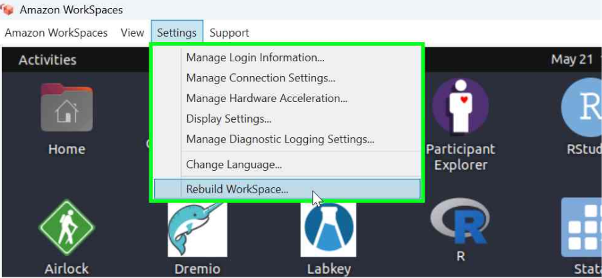
- Click Settings in the top left-hand corner of Amazon Workspaces (this is available both while you are logged in and in the login screen).
-
Select Rebuild Workspaces from the drop-down menu.
-
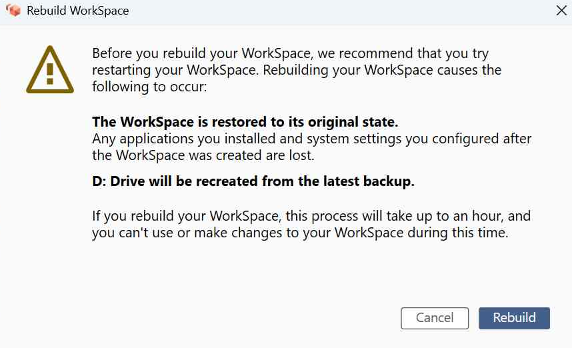
Select Rebuild.
-
Wait approximately 1 hour for the rebuild to complete before logging in again.
Even if the rebuild status shows as complete earlier, please wait the full hour before attempting to log back in.
If you're still having problems after completing the rebuild, please contact us via Service Desk Portal for further assistance.